Turn a photo into a personalised book
Upload a few photos, choose a story, and the characters take on your family's faces. Here is how it works and how to get the best result.
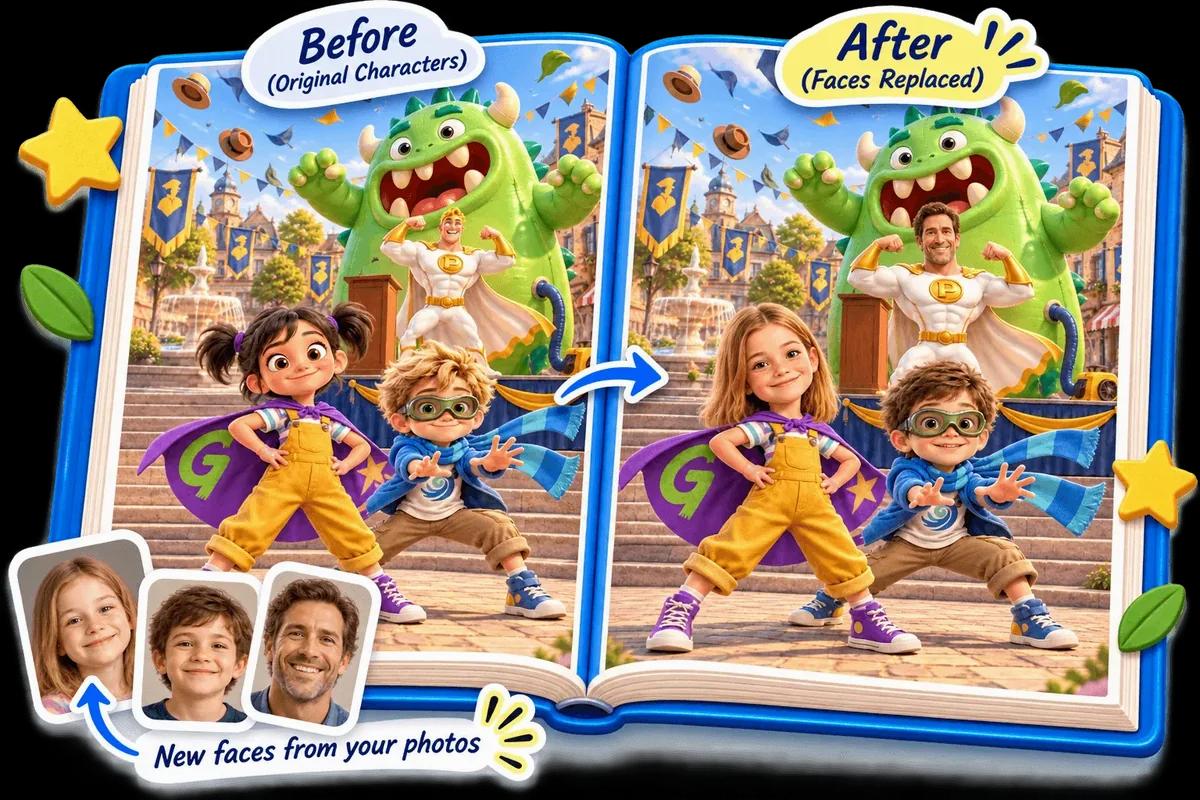
You upload a clear photo of each person, and we draw them into the story as a cartoon character. The page keeps the story's artwork and swaps the faces for yours. You see the result in a free preview before you order.
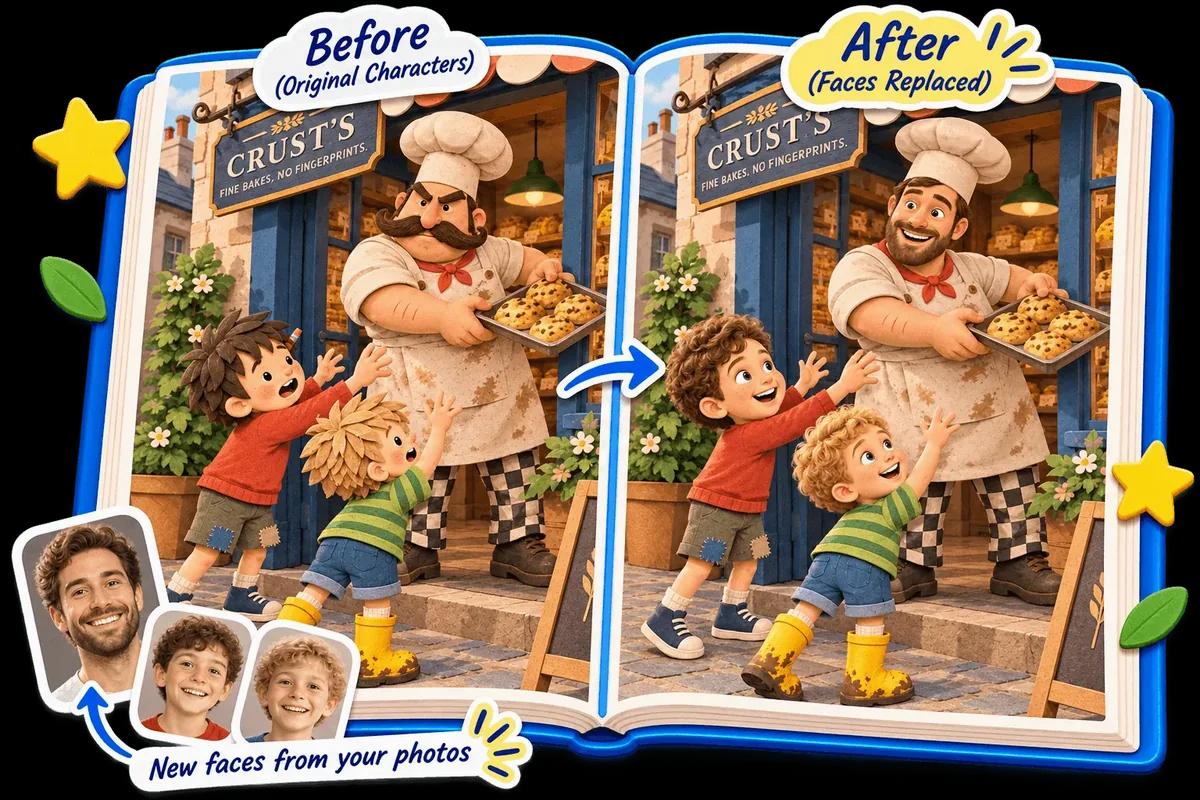
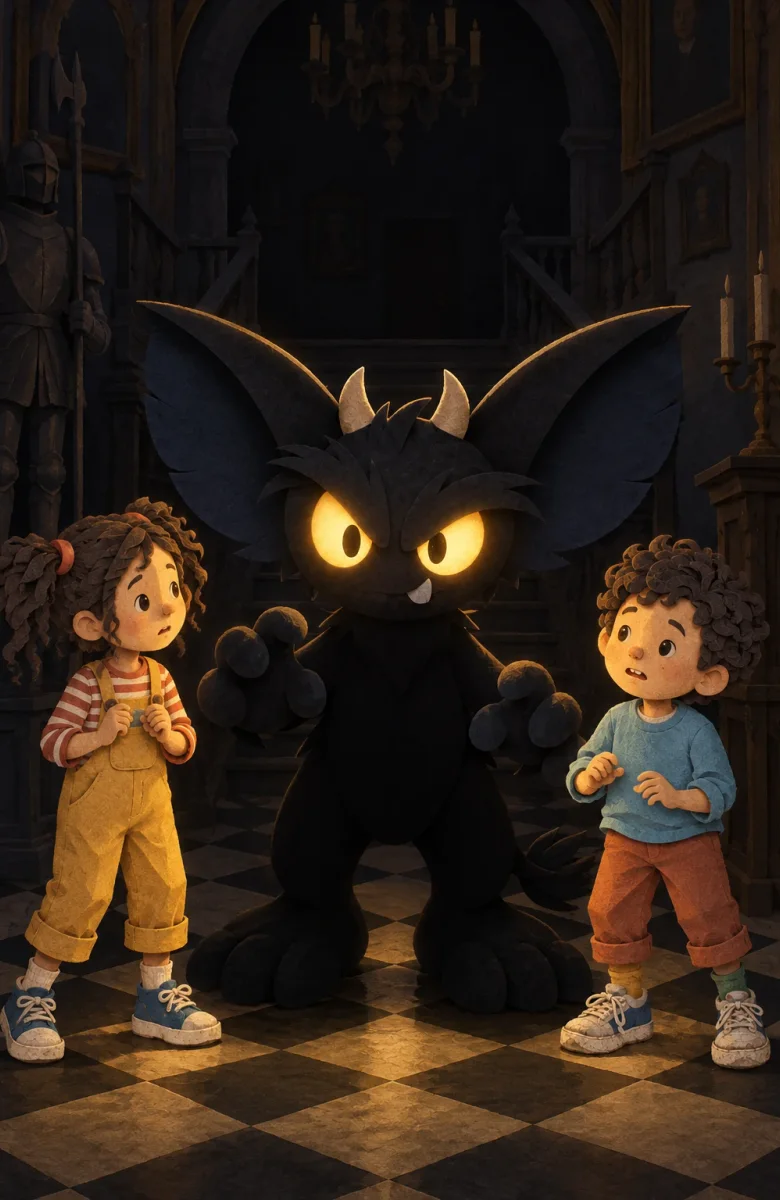
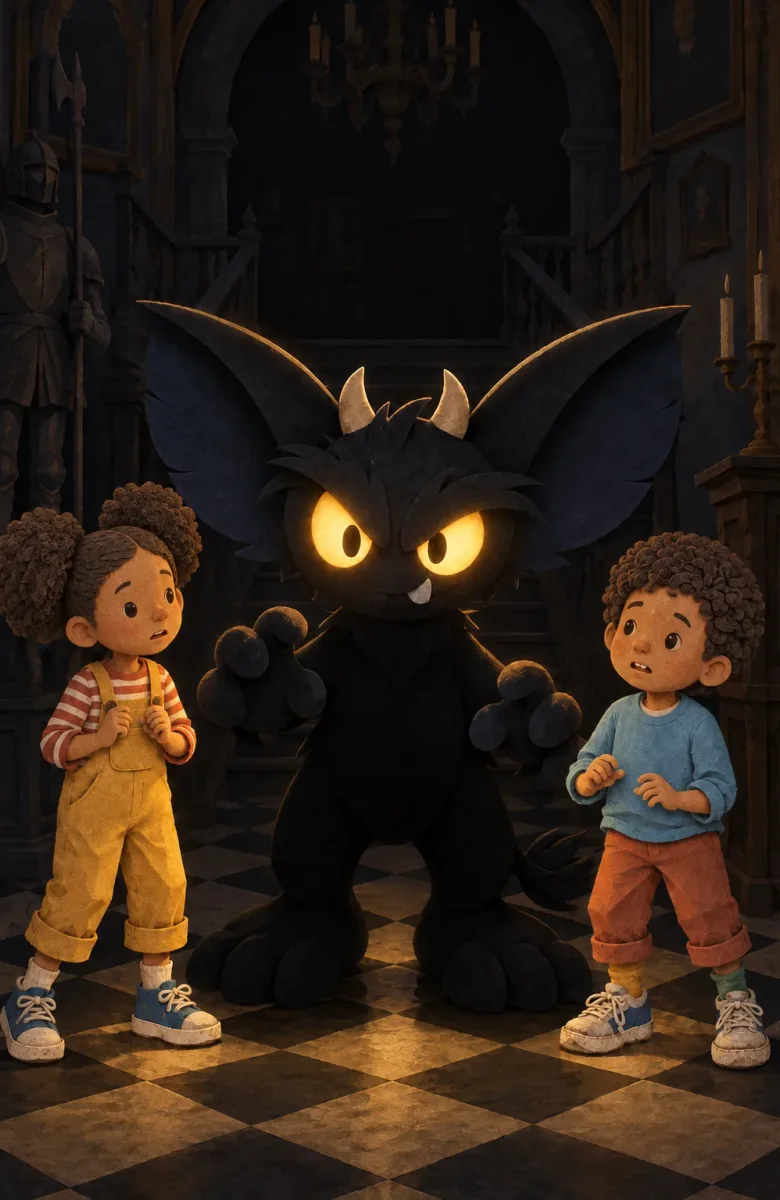
The same page twice. Left: the story as written. Right: with new faces made from photos.
Choosing the right photos
01One face, clearly visible
Pick a clear, well-lit photo where the person is looking at the camera and nothing covers their face. Sunglasses, hats pulled low and hands over the mouth make the likeness harder.
02A couple of photos per person
More than one photo helps us get the likeness right, because one angle can flatter or hide a feature.
03One person per photo is easiest
Group shots work less well than single portraits, so crop or choose individual photos where you can.
Who can be in the book
Parents, grandparents, friends, brothers and sisters and even pets can take a part. Each story has a set number of main roles, and you can add extra characters for a small fee. You tell us who plays which part, and you can change it in the preview.
Preview, then order
Your preview is ready in minutes, and it is free. Check names, spelling and who plays which part, and swap anything you don't like. Then choose a digital copy, or a digital copy plus a printed one posted to you. Because printed books are made to order, what you approve is what we print. See the returns policy for what we always put right.
Ready to try it? Choose a story. Looking for ideas first? Read our personalised book gift ideas or how to put your kids in a book.
Frequently asked questions
What photos work best?
A clear, well-lit photo of each face, looking at the camera, with nothing covering it. A couple of photos per person helps us get the likeness right.
What happens to my photos?
We only use your photos to create your characters, then we delete them. You'll see confirmation that they've been deleted.
Can I put myself, the whole family and friends in?
Yes. Parents, grandparents, friends, brothers and sisters and even pets can take a part. Each story has a set number of main roles, and you can add extra characters for a small fee.
Do I see the result before I order?
Yes. You get a free preview and can change who is in which role or swap a picture you do not like before you order.
How long does the preview take?
Your preview is ready in minutes.